
WE SELL TICKETS.We keep your audience.
Online ticketing for organizers in Czechia. Card and mobile payments, money straight to you, tickets by e-mail, Telegram and Apple Wallet.
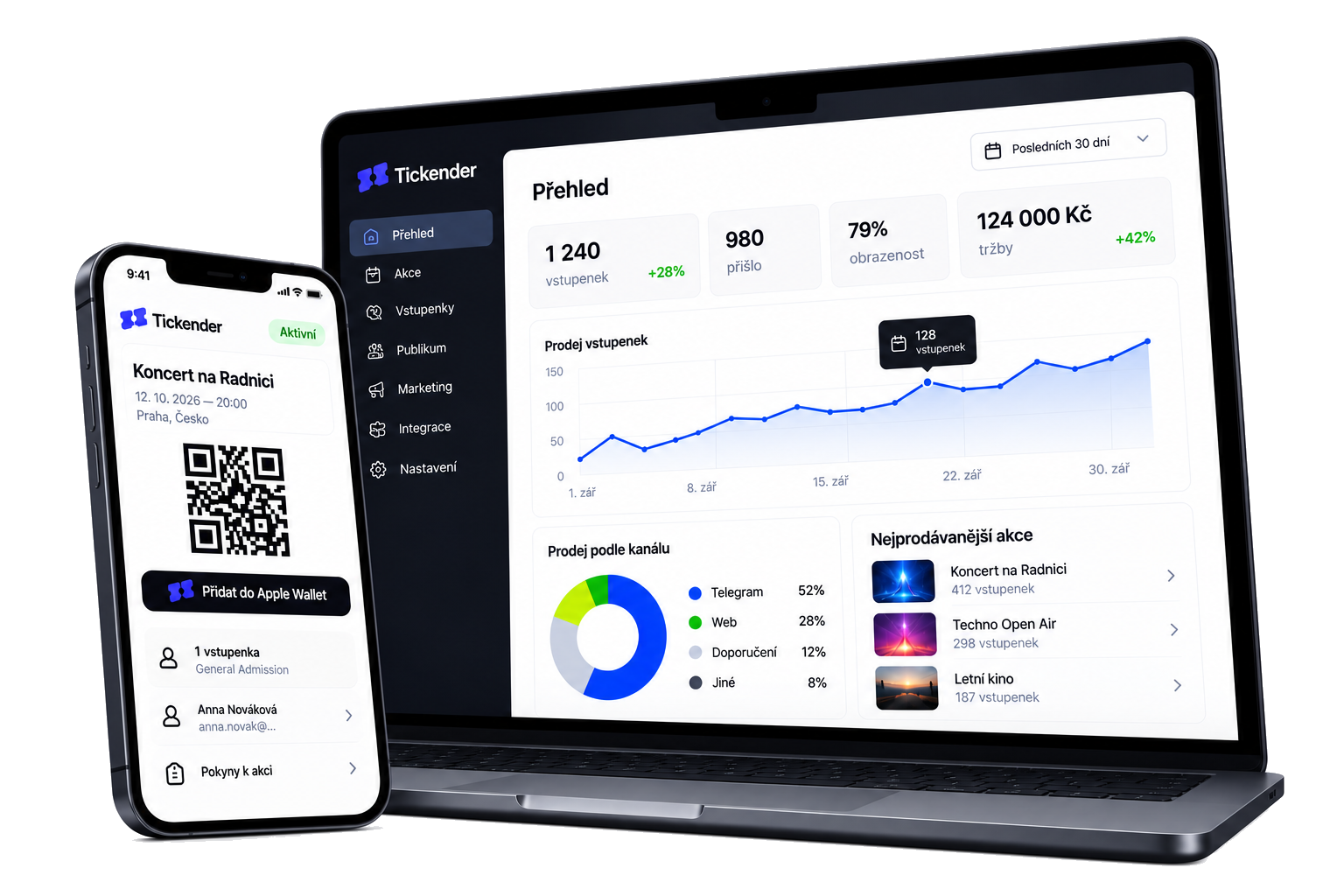
Demo
Tickender in action
From creating an event to your next sold-out night. See how it works — in under 40 seconds.

- Create the event: Name, date, venue and tickets. Done in minutes.
- Design & publish: 21 styles, colours, backgrounds, fonts and blocks. Your event page, your way — on sale in one click.
- Sell: Card, Apple Pay or Google Pay. No passwords — the ticket lands in e-mail, Telegram and the wallet.
- Check-in: Scan tickets with any phone — at one entrance or several.
- Money & audience: Money straight to you, exports for your accountant — and one click brings your audience back.
Campaigns are part of the product
Your audience segments itself — who bought, who attended — and you invite people who opted in by e-mail or Telegram.
1Pick your audience
- Bought a ticket
- Attended
- Newsletter
2Send
3Results
0 %
opened
+84 tickets
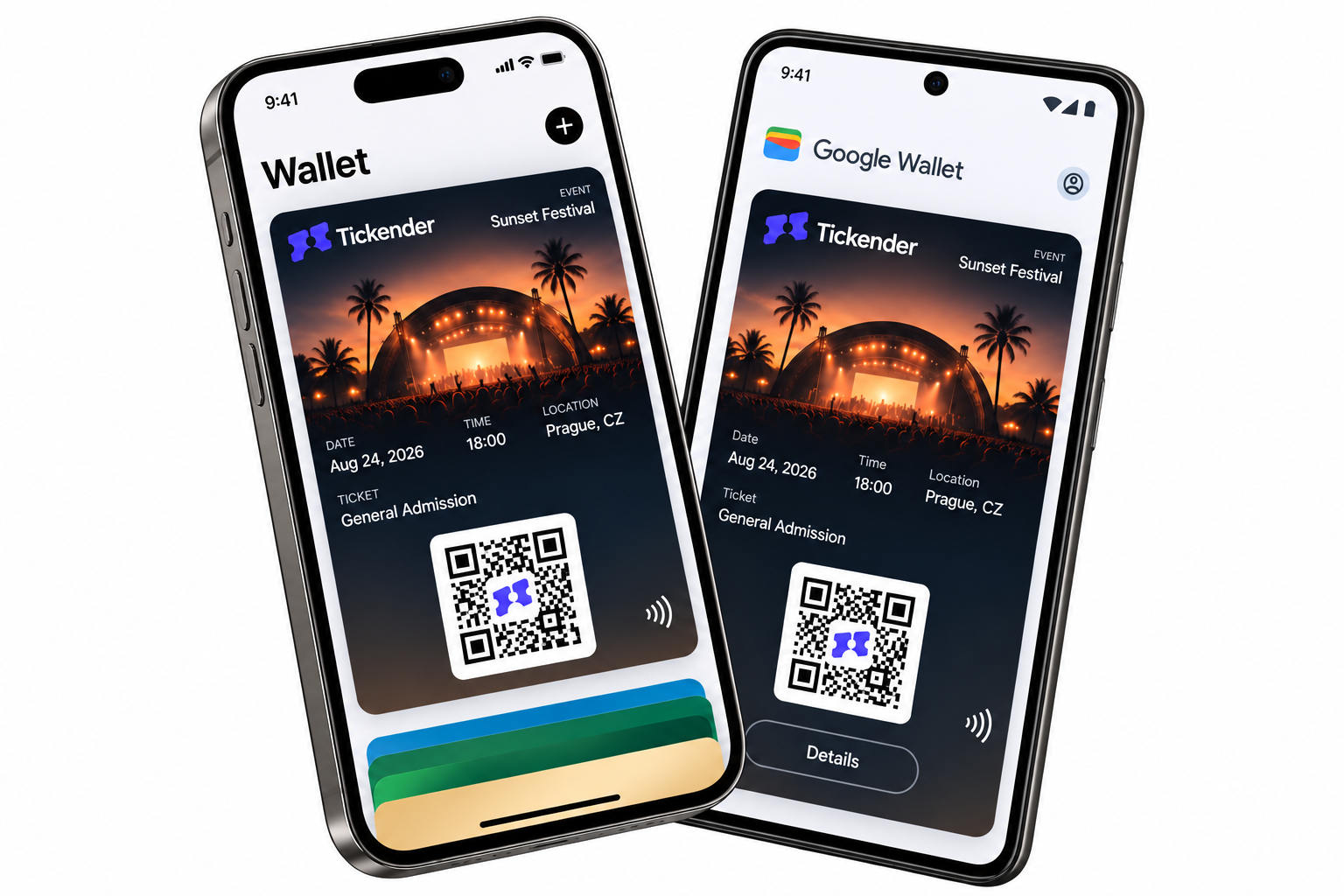
Tickets in Apple Wallet and Google Wallet
When someone buys a ticket, it lands straight in their wallet – Apple Wallet or Google Wallet. Change the date and the ticket updates itself.
Tickender in your AI assistant
Connect Tickender directly to ChatGPT or Claude. Build your own reports and ask your chat how your business is doing.
Features
Everything you need for the first event
- 01
Events in minutes
Set tickets, capacity and sales. Put the QR link straight on your poster.
- 02
Checkout without passwords
Buy in three simple steps, without creating a password.
- 03
Check-in from any phone
Scan tickets with a phone at one entrance or many.
- 04
Money and accounting
Payouts and documents organized by event and month.
- 05
Dashboard and exports
See sales at a glance, export data to CSV or XLSX, and statements to PDF.
- 06
Team
Admins manage the event. Door staff see only the scanner.
How it works
Four steps to your first ticket
- 01Step 01
Account
Sign up with Google or e-mail.
- 02Step 02
Payout verification
Add your IBAN and company details. Prepare events meanwhile.
- 03Step 03
Publish
After verification the event page goes live on its own.
- 04Step 04
Sell, check in, invite again
You sell tickets, let people in, and invite them back next time.
Pricing
One plan. Every feature included.
Commission7 %
of the ticket price. Card payments, payouts and every feature included, no monthly fees. Buyers pay a 3% service fee per order, at least CZK 15 (final price for the buyer). Full pricing
Prices for organizers are shown excluding VAT. Tickender is currently not a VAT payer, so we do not charge VAT.
FAQ
The questions we get most often
01When do I get paid?
Two days after the event ends, you request a payout of your revenue in the portal. We usually approve it within 2 business days, and the money arrives in your account in CZK. Payouts are free. For presales longer than 90 days, we pay out continuously.
02Is the price shown with VAT?
The organizer commission is shown excluding VAT. Tickender is currently not a VAT payer, so we do not charge VAT. If we become one, we will add VAT to the commission at the statutory rate – VAT payers can deduct it, so nothing changes for them. The service fee paid by the buyer is always the final price.
03I'm a VAT payer. What should I enter as the ticket price?
Enter the ticket price as the final price for the buyer, including VAT. Buyers only see the ticket price and the service fee. Every month you'll find a sales overview in the portal for your accounting.
04What if a buyer needs an invoice for their company?
They'll find your contact details in the order confirmation, and you issue the invoice yourself – just as when selling on site. Tickender issues a receipt for the service fee on request.
05Do buyers need an account?
They do not need to create one. It is created automatically on their first purchase, without a password.
06Do I need a scanner?
No. A phone with internet is enough — you install the app from the browser. We don't support dedicated hardware scanners, because a phone does the same job and saves you another device.
07Who is it for?
Organizers of events in Czechia who want to send their audience the next invitation too: concerts, talks, theatre, workshops, smaller festivals.
08Who can sell on Tickender?
Organizers with a registered office or residence in the Czech Republic – companies, associations and sole traders.
09How do marketing and GDPR work?
Consent is separate for you and for the platform, per channel. You can invite only people who opted in. Other organizers cannot see your audience.
10Who handles refunds after a cancellation?
Tickender. If you cancel the event, we automatically refund buyers the ticket price from your revenue within 14 days. The service fee is non-refundable.
Set up your first event today
Create an account, add an event, and put the link on a poster.